Duplicate Content: How to Check for It and Keep It Fixed
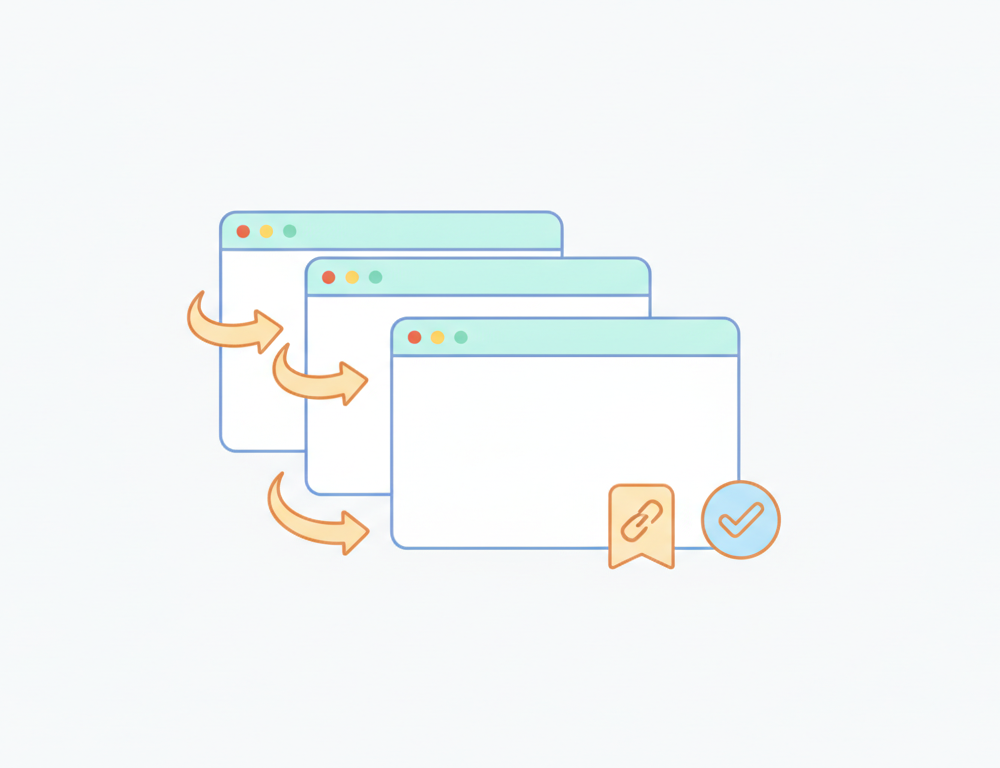
A duplicate content checker, in practice, is a crawl plus a look at Search Console: you're hunting for the same page reachable at more than one URL. The usual culprits are parameters, http and https versions, www and non-www, pagination, print views, and staging domains that were never blocked.
Google doesn't penalise duplicate content. It picks one URL from each group of copies, indexes that one, and folds the others into it. That works fine until it picks the wrong one, for example a ?sort=price variant instead of the clean category URL, or the staging subdomain instead of production.
On client sites, duplication is rarely a copywriting issue. A CMS, a shop platform, a filter system or a migration created several addresses for one page, and nobody told search engines which address to keep.
What actually counts as duplicate content
The problem this article deals with is technical: one piece of content served at multiple URLs. Reused boilerplate, a standard returns policy, or short product descriptions that look alike across a range are a different matter and rarely cause indexing trouble.
When Google finds near-identical URLs, it consolidates them. One becomes the canonical, the rest are shown in Search Console as alternates or duplicates, and ranking signals are merged. The cost is indirect. You lose control over which URL appears in results, links pointing at different variants get split, and crawling time goes on copies rather than on new pages.
Where copies come from on a typical site
URL variants are the most basic source. http://example.com/shoes, https://example.com/shoes, https://www.example.com/shoes and https://www.example.com/shoes/ can all return the same page with a 200 if redirects aren't set up consistently. Case matters too on many servers, so /Shoes and /shoes may be two URLs.
Query parameters are the next layer. UTM tags, session IDs, ?sort= and ?page= values on category pages each create a new address. On e-commerce sites, faceted navigation is the classic case, where every combination of colour, size and price filter can produce an indexable URL.
Then there are whole alternate hosts: a staging site at staging.example.com that was left open, or an old domain still serving content after a rebrand. Syndicated articles and printer-friendly pages on their own URLs round out the list.
Finding duplicates
Start with a crawler such as Screaming Frog or Sitebulb. Sort by duplicate titles, duplicate meta descriptions, and pages whose canonical points somewhere other than themselves. That surfaces most technical duplication in one pass.
Next, open the Pages report under Indexing in Google Search Console. Two statuses tell you what Google decided:
- "Duplicate without user-selected canonical" means Google found copies and chose for you, because you didn't declare a preference.
- "Duplicate, Google chose different canonical than user" means you declared one and Google overruled it, usually because other signals disagreed.
"Alternate page with proper canonical tag" is also listed there, but that one is normally fine: it means your canonical was respected.
For content copied to other domains, search a distinctive sentence in quotes. And if you need to confirm what Google holds for one specific address, URL Inspection shows both the user-declared and the Google-selected canonical. We cover that tool in how to check if a page is indexed.
Fixing it
Give every indexable page a self-referencing canonical, written as an absolute URL, with exactly one <link rel="canonical"> in the <head>. Where a duplicate has no reason to exist at all, such as an old domain or the non-preferred www variant, use a 301 redirect instead of a canonical.
Make the signals agree. The canonical, the sitemap entry, internal links and any hreflang annotations should all reference the same version. Google treats the canonical as a hint, and a hint contradicted by the sitemap and every internal link is often ignored, which is exactly how you end up with the second Search Console status above.
Use noindex only for pages that must stay accessible but shouldn't rank, like internal search results or thin filter combinations. Don't combine noindex and a canonical pointing to another URL on the same page; they send conflicting instructions.
Why the fix doesn't stay fixed
The canonical is one line in the template head, which makes it easy for a release to break without anyone seeing it. A refactor drops it from one template. A plugin update starts outputting a relative path. A section ends up with two canonical tags because the theme and an SEO plugin both write one. A staging build points every canonical at the staging host and gets deployed. The page looks identical in a browser in all four cases.
So a duplicate content audit is accurate for about as long as the next deploy. The broader version of this problem is covered in our guide to website code change monitoring.
Watching canonicals with Deltio
Deltio doesn't compare page text, so it won't report that two articles are 80% similar. For that you still need a crawler or a similarity tool. What it watches is the canonical itself. On a daily cycle it reads the canonical on the pages in the sitemap, compares with the previous check, and sends a Slack or email alert when one changes. Titles, meta descriptions and H1s are checked the same way, which matters because duplicate titles are often the first visible sign of duplication. Sitemap URL changes show up too, so a filter that starts adding addresses to the sitemap gets noticed. The canonical tag checker article explains how to check a single page by hand.
Because the cycle is daily, a broken canonical is caught the next day rather than within minutes, which for this kind of issue is usually soon enough to fix it before Google recrawls much of the site.
Frequently asked questions
- Can a canonical tag point to a URL on a different domain?
- Yes. Cross-domain canonicals are valid and are the usual fix for syndicated content: the republishing site adds a canonical pointing at the original article. Google still treats it as a hint, so it works best when the copy is close to identical.
- Do UTM parameters create duplicate content?
- They create extra URLs, but Google is generally good at ignoring common tracking parameters, especially when the page carries a self-referencing canonical to the clean URL. The practical fix is to keep UTM links out of internal navigation, so they only appear from external campaigns.
- Should paginated pages canonicalise to page 1?
- Usually not. Page 2 of a category lists different products from page 1, so each paginated URL should normally have a self-referencing canonical. Pointing them all at page 1 can stop the products on deeper pages being discovered.
- Is it a problem if Google chooses a different canonical than the one I set?
- It's a signal that something disagrees with your tag, such as internal links, the sitemap, redirects or hreflang pointing at the other version. Check URL Inspection for that URL, compare the user-declared and Google-selected canonicals, and align the other signals with your preferred version.
- How much does Deltio cost?
- Starter covers up to 50 sites for £24 / €29 / $31 a month, or £20 / €24 / $26 a month billed annually. Professional (up to 200 sites) is £49 / €59 / $64 a month and Enterprise (up to 500 sites) is £119 / €139 / $149 a month. All plans include a 14-day free trial.